The system the operator runs his own practice on.
One consultancy's four tools — project board, time tracker, invoicing, client file share — collapsed into a single data model, exposed through two lenses: the consultant's workspace, and a zero-login client portal where every client sees exactly what they're paying for. This is not a demo. It's the tool its own builder opens first every morning.
Why It Exists
Every consultancy ends up running four tools that were never designed to talk to each other: a project board for tasks and status, a time tracker for hours, an invoicing app for getting paid, and a file share for handing clients what they've bought. Each one has its own login, its own idea of who a "client" is, and its own export format. None of them know that the hours in the tracker are the same hours on the invoice, which are the same hours the client is watching burn against a budget in a project they can't see into.
Verk collapses that into one data model — clients, projects, time, invoices, offers — and exposes it through two lenses. The operator gets a console: tables, statuses, figures, expiry dates at a glance. The client gets a single link, no account, no password: a typeset view of exactly what they're paying for and where it stands.
Walking the Ledger
The screens below are from a demo workspace — the client "Test" and its one project are placeholder data seeded for this walkthrough, not a real engagement.
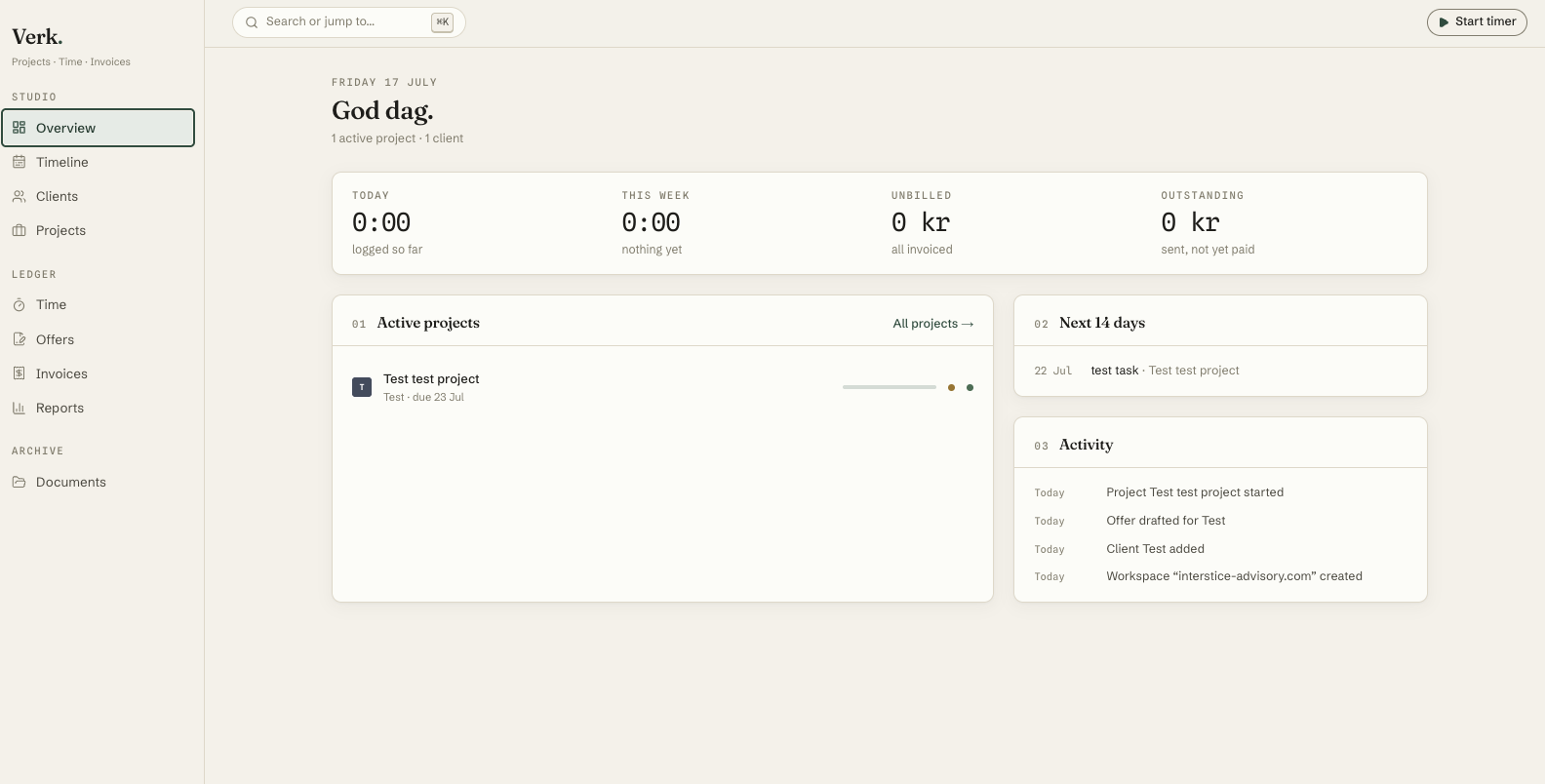
"God dag." Today's logged time, this week's total, unbilled value, and what's outstanding — the four numbers an operator actually wants at the top of the day — followed by active projects, the next 14 days, and a plain activity feed.
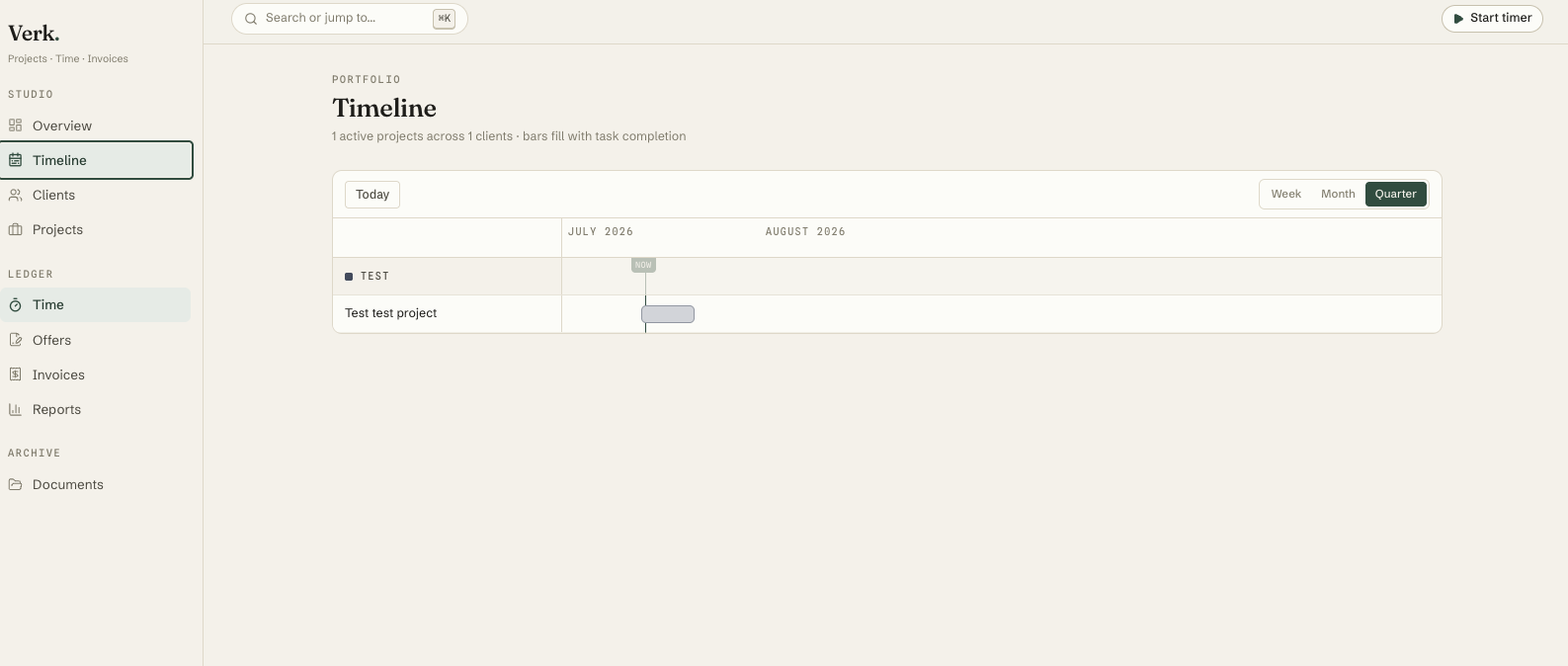
A hand-built portfolio Gantt: one swimlane per client, week/month/quarter zoom, a today line, and bars that fill with actual task completion rather than a manually-set percentage.
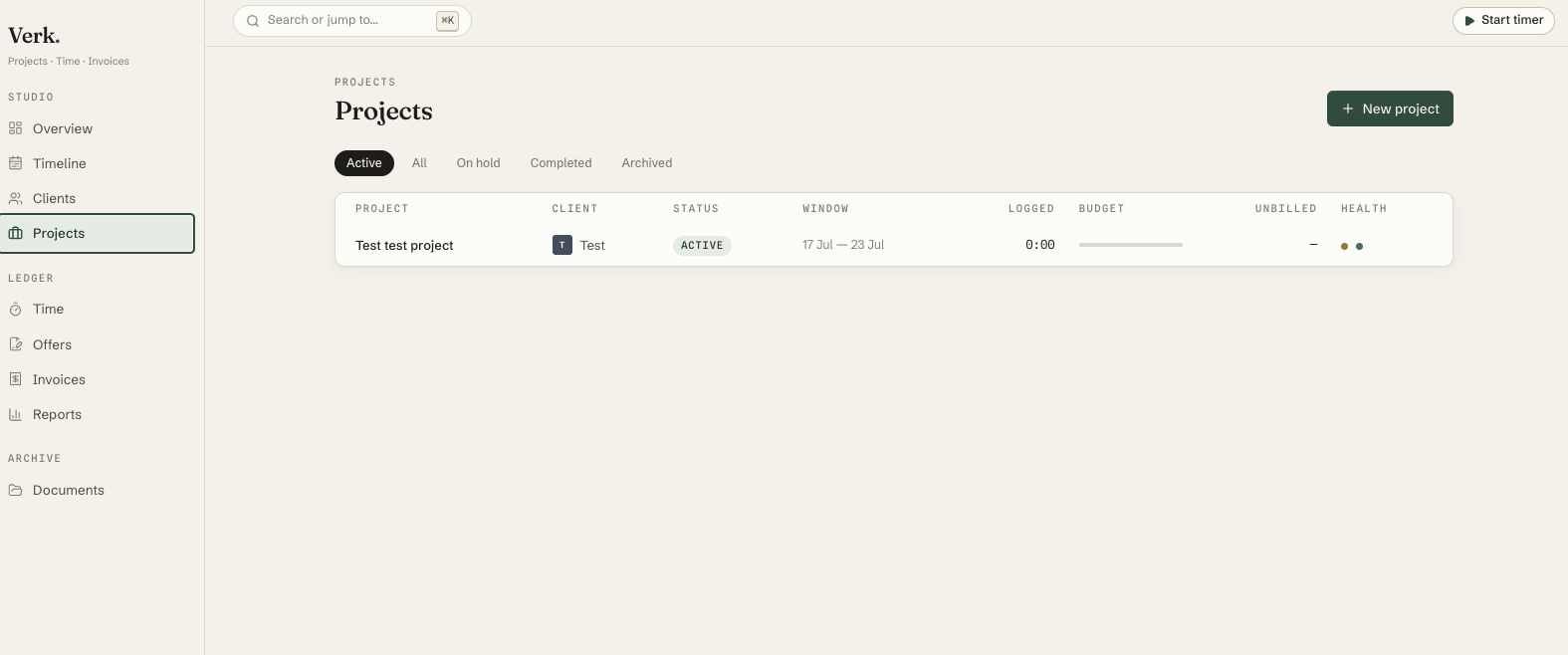
Every engagement with its date window, budget burn bar, and a two-dot schedule/budget health indicator that is computed from logged time against the window and cap — never self-reported.
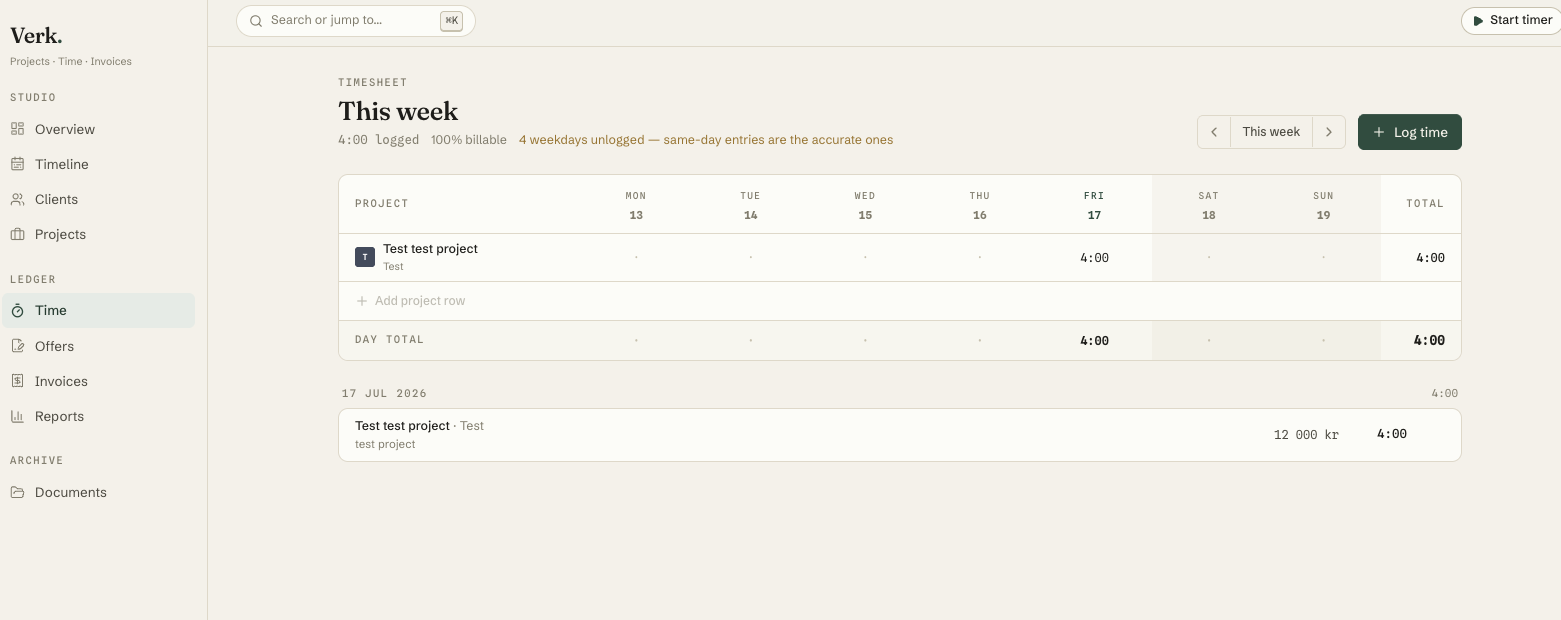
An editable per-day week grid. Billable percentage at a glance, and an honesty nudge that names exactly which weekdays have nothing logged — the point being that a same-day entry is worth more than a reconstructed one from memory two weeks later.
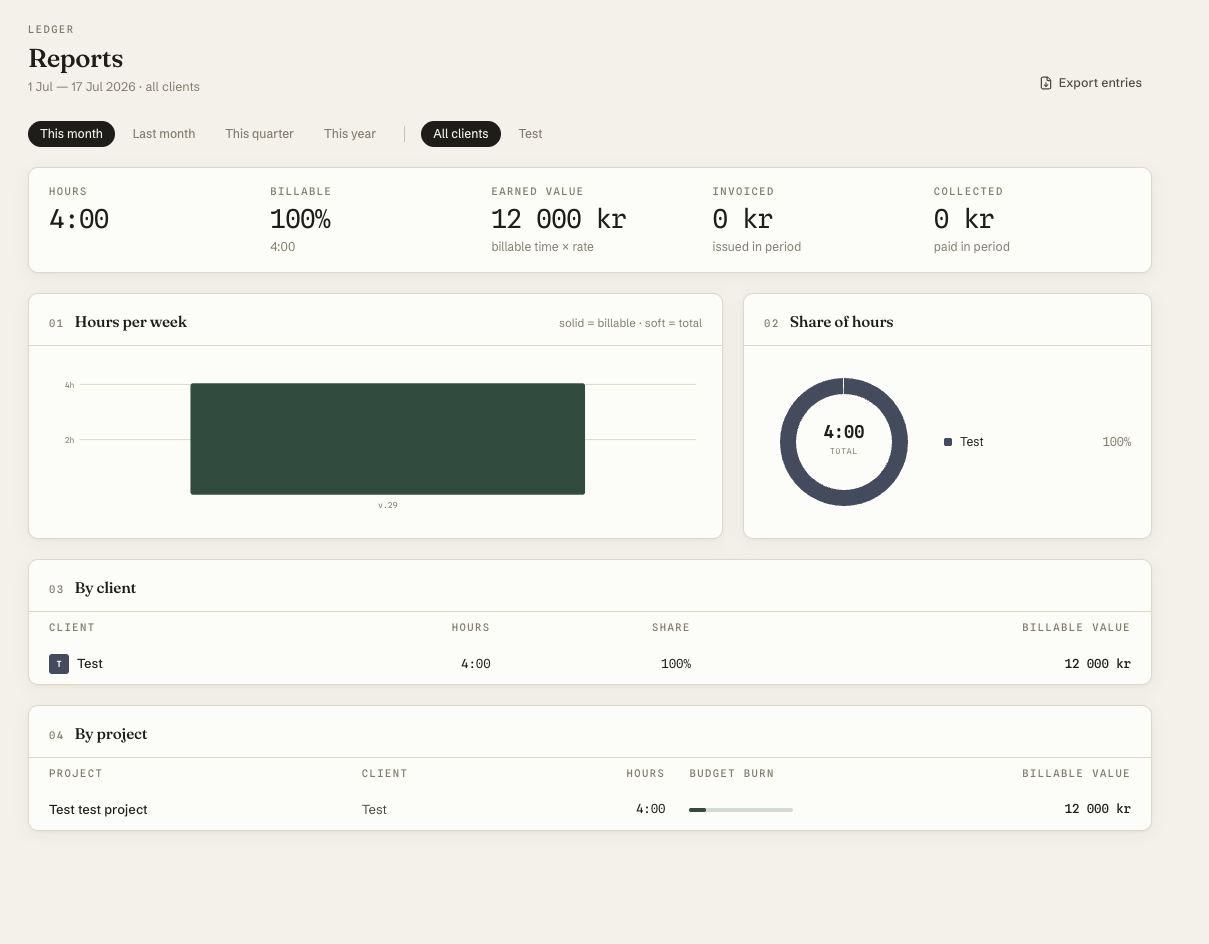
Hours, billable share, earned value, invoiced and collected — filterable by range and client, broken down by client and by project with the same budget-burn bars seen on the project list, CSV export throughout.
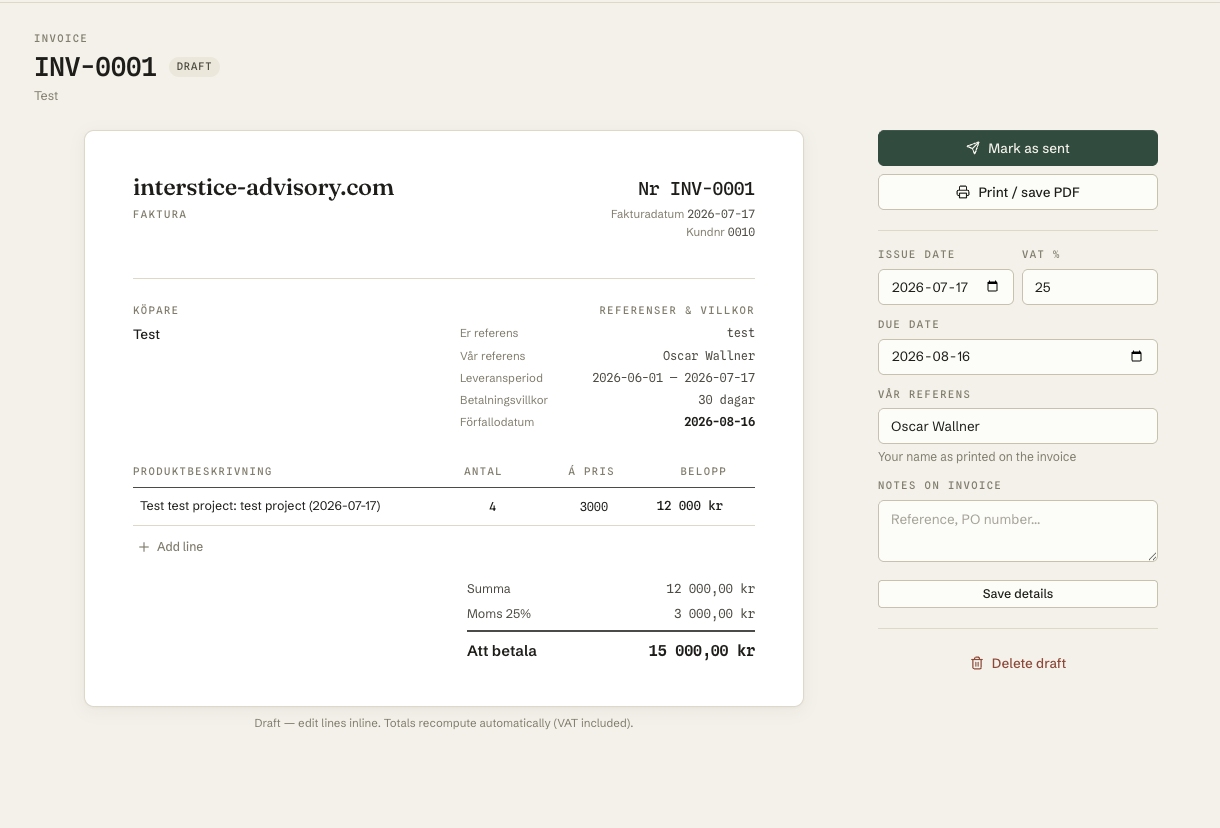
A Swedish faktura built from unbilled time, editable inline while it's a draft — lines, VAT rate, dates all recompute the total live — then a one-click move through sent, paid, and a print-clean layout for PDF.
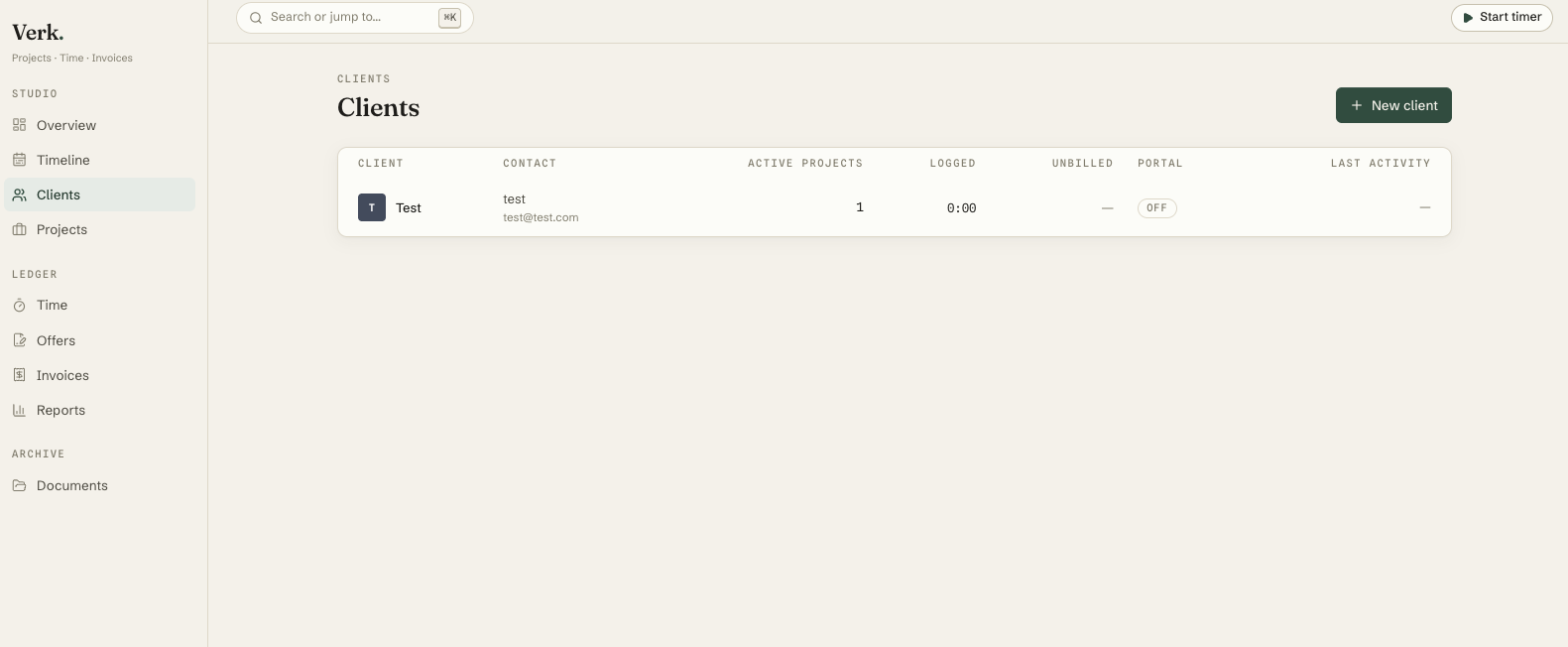
Contacts, active projects, logged and unbilled time at a glance — and a per-client portal toggle. Flip it on and the client gets a link, no login, to a typeset status page: live unbilled-work meter, milestones, invoices, shared documents.
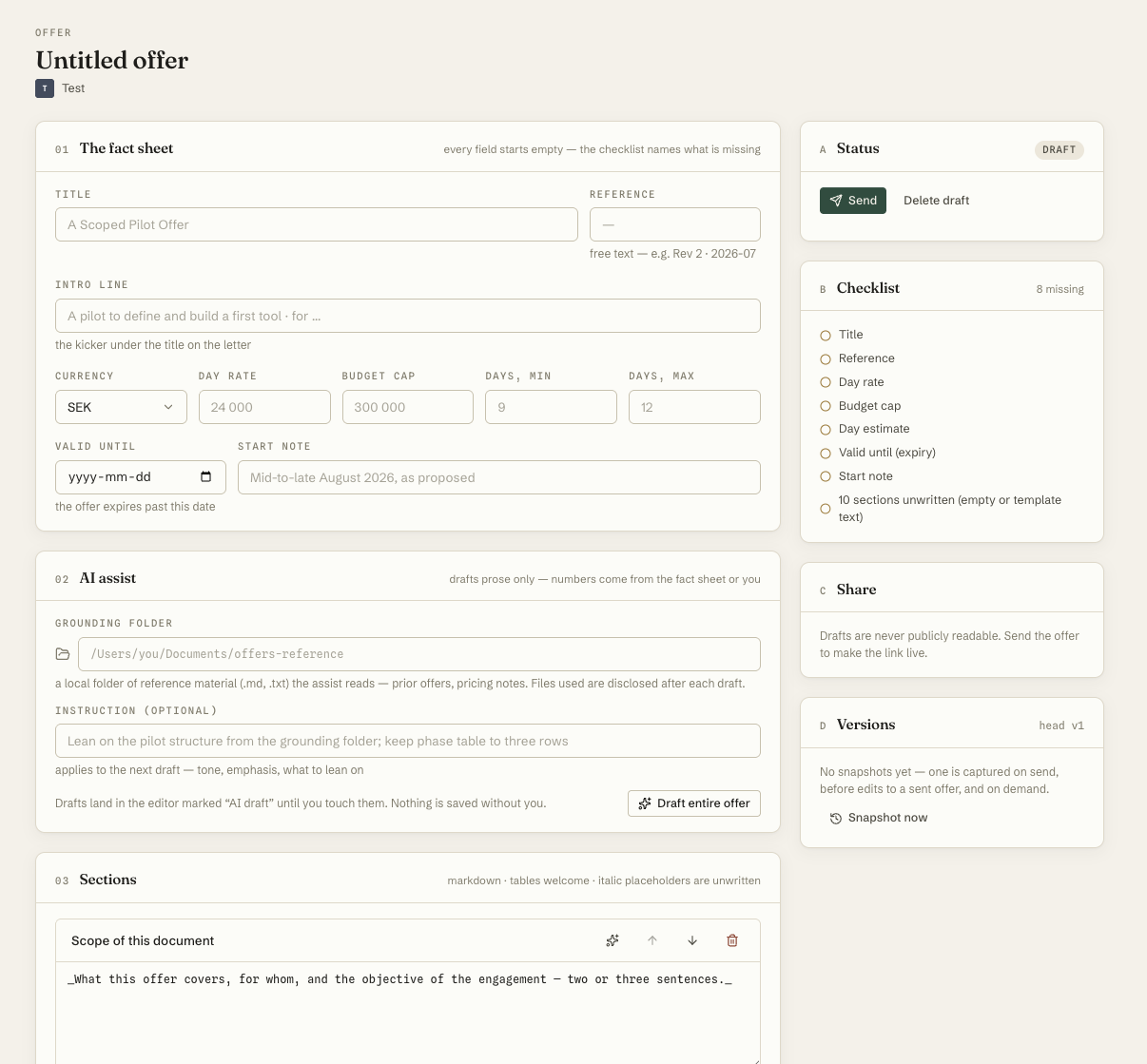
The newest part of Verk: an engagement can now start life as a versioned offer letter. Every field on the fact sheet — day rate, budget cap, day estimate, expiry — starts empty, and a checklist names what's still missing rather than padding it with a default. Markdown sections can be drafted with AI assistance grounded in a local reference folder of the operator's own past offers and notes; the files actually used are disclosed after every draft, and the assist writes prose only — numbers come from the fact sheet or the operator, never the model. Drafts land in the editor marked "AI draft" until touched. Every save is an append-only version, restorable, with a manual snapshot option. Sending produces a zero-login typeset letter at a tokenized /o/<token> link that expires on its own date — and until that happens, the draft is never publicly readable.
Details That Matter
None of this is flashy. It's a set of small honesty mechanisms built into the UI itself, because the alternative — a tool that flatters you about your own follow-through — is worse than no tool.
The timesheet doesn't just show a blank cell. It counts the gaps and says, in the interface, that memory two weeks later is a worse source than logging today.
No default day rate, no placeholder budget cap. The fact sheet is honestly blank, and the checklist is a scoping instrument, not decoration — it lists what hasn't been decided yet.
An AI-assisted draft, mid-edit, sitting in an editor is not the same thing as a client-facing letter. Verk keeps that boundary explicit rather than making everything a link by default.
Swedish, VAT-aware invoicing by default — line items, tax rate, and total recompute live while a draft is still editable, with integer cents underneath so nothing rounds unpredictably.
Schedule and budget health are computed from logged time against the window and cap on every project list and report — never a status the operator types in by hand.
Under the Hood
- Next.js 16 (App Router), React 19, TypeScript, Tailwind 4
- Supabase — Postgres, Auth, Storage — shared schema with an
org_iddiscriminator and row-level security for tenant isolation - Money in integer cents, time in integer minutes — floats never carry either
- The Offer Desk's AI assist calls the Anthropic API directly from a server action, reads a configured local grounding folder, and degrades honestly (typed facts only, with a notice) when no folder or key is configured
- No automated test suite; correctness is enforced by strict typecheck-time contracts between client and server, plus manual browser walkthroughs at each build step — stated here as it is, not inflated
Built With Orch, Run in Production by Its Only User
Verk wasn't built for a portfolio and then set down. It was built with Orch and has been iterated on inside a real, ongoing consultancy practice since — every change judged the same day it ships, by the person who has to trust it with his own clients' invoices the next morning.
That is the shortest feedback loop there is: no product manager standing between the build and the daily use it's built for.